
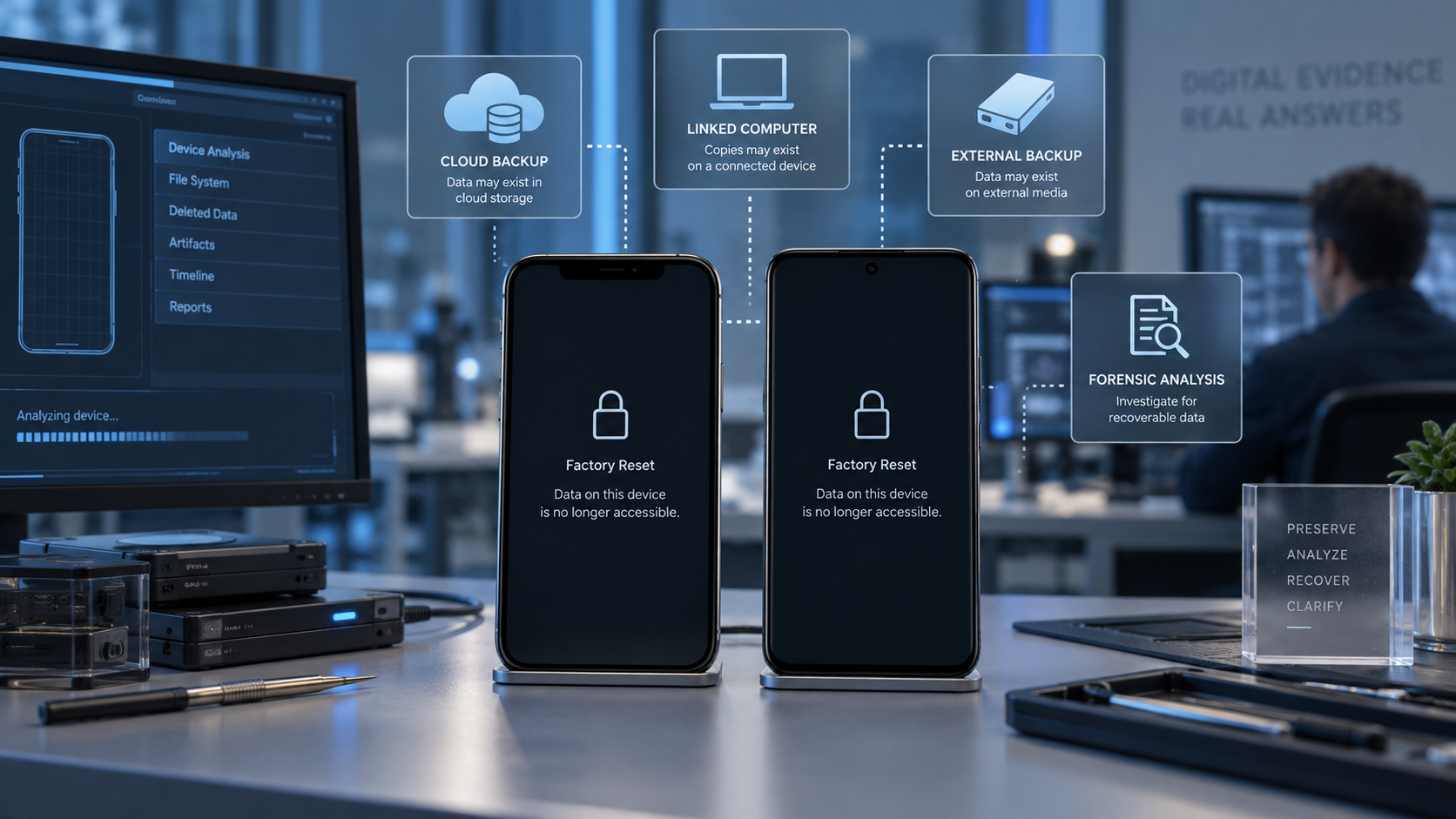
What modern encryption changes, what may still be recoverable, and where the evidence may survive.
ORIGINAL PUBLICATION: 19 July 2019 REVISION COMPLETED: 19 September 2026 AEST
By: Claude Khoury, Chief Operating Officer, NSI Global
Sometimes – but on a modern encrypted smartphone, data stored only on the handset before a completed factory reset may be cryptographically unrecoverable. Recovery may still be possible from other sources such as iCloud or Google backups, synchronised services, linked devices, application backups, removable media, enterprise systems or another device that retained a copy of the information.
That distinction is essential. A factory reset is not simply the same event as deleting a photograph or message. On current smartphones, encryption keys can determine whether old data remains intelligible at all. A technically sound investigation therefore asks two separate questions: can anything still be recovered from the reset handset itself, and where else did the information exist before the reset?
The answer depends on the exact device, operating-system generation, reset mechanism, encryption architecture, account configuration, backup history, storage type and what happened after the reset. No legitimate forensic examiner should promise recovery without first identifying those variables.
The Short Answer: Factory Reset Recovery Depends on Where the Data Still Exists
For a current iPhone, Apple documents that Erase All Content and Settings destroys the relevant keys in effaceable storage and renders the previous user data cryptographically inaccessible. On modern Android devices, user storage is likewise protected by encryption; devices launched with Android 10 or later are required to use file-based encryption, with credential-encrypted keys protected by the user credential and hardware-backed security controls.
This means that a completed reset may remove the practical route to the old internal data even if encrypted blocks physically remain on flash storage. By contrast, a cloud backup, another synchronised device, a photo library, an email account or a messaging backup may still preserve the same information independently of the handset.
| Question | Modern Answer | Why It Matters |
| Can the reset phone itself always be recovered? | No. A completed cryptographic erase can make prior internal data inaccessible. | Modern mobile recovery is not equivalent to carving deleted files from an old hard disk. |
| Does factory reset always mean every copy of the information is gone? | No. The same information may exist in cloud, backups, linked devices or other systems. | The investigation must follow the data across its other locations. |
| Are iPhone and Android identical? | No. Architecture, version, manufacturer and reset behaviour differ. | Recovery conclusions must be device-specific. |
| Does a negative handset result end the investigation? | Not necessarily. | Other evidence sources may still answer the underlying question. |
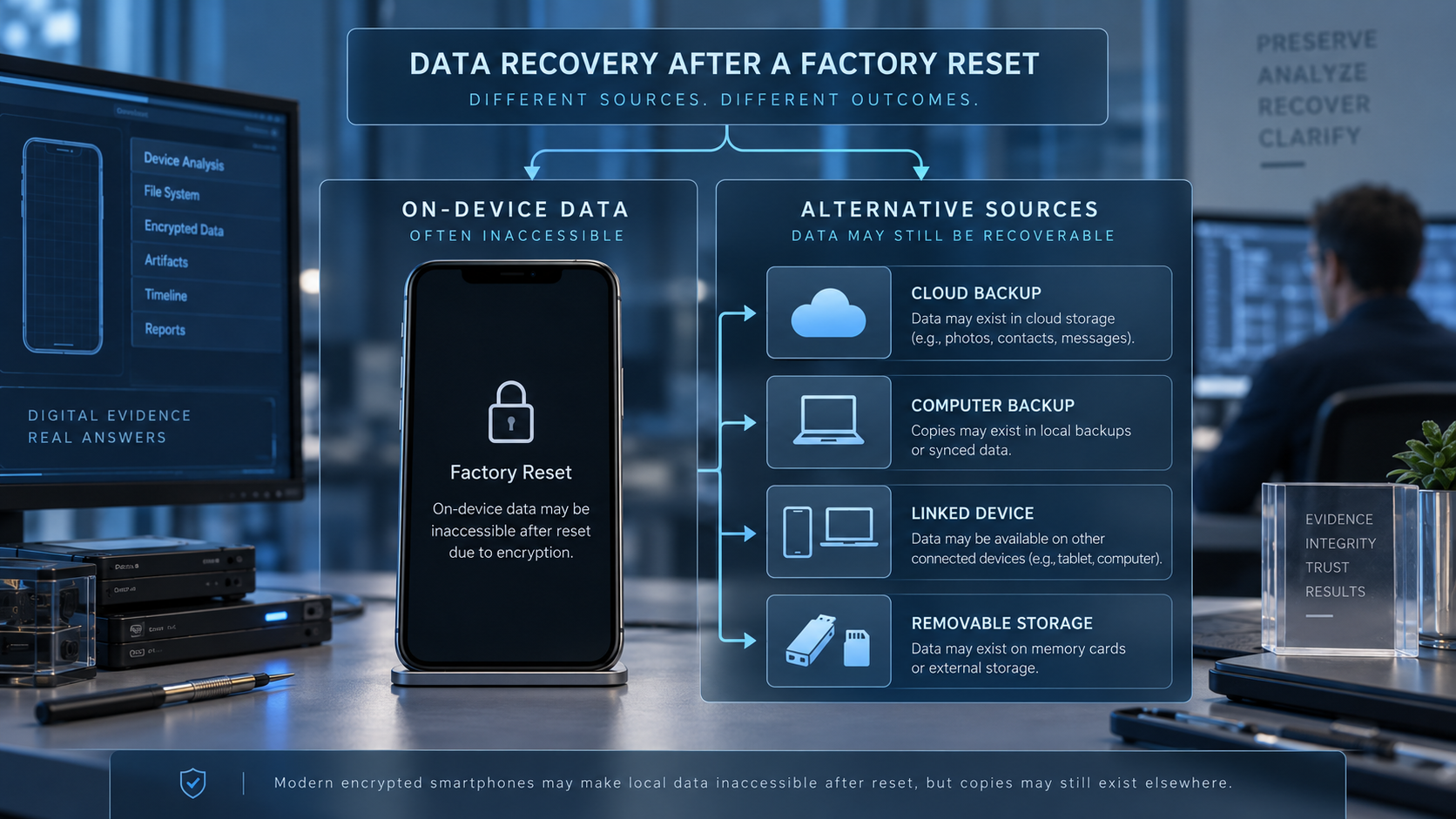
Factory Reset Is Not the Same as Ordinary File Deletion
When a user deletes an ordinary file, message or application record, remnants may sometimes persist in databases, backups, unallocated storage or related artefacts. Whether those remnants remain useful depends on storage management, encryption, subsequent activity and the application involved.
A factory reset is more fundamental. On a modern encrypted device, the reset can remove or change the cryptographic keys needed to decrypt the previous user data. The storage medium may still contain encrypted blocks, but without the correct key hierarchy, those blocks are not useful simply because a forensic tool can read raw flash memory.
This is why the old explanation that a reset merely removes the “address” of a file is no longer a safe generalisation for current smartphones.
Can Data Be Recovered After Factory Resetting an iPhone?
On modern Apple devices, direct recovery of the previous user data from internal storage after a completed Erase All Content and Settings operation may not be technically possible. Apple documents that user data is protected by a hierarchy of encryption keys and that erasing the relevant key renders the files cryptographically inaccessible.
That does not mean the user has necessarily lost every copy of the information. An iPhone investigation may still need to examine:
- iCloud Backup captured before the reset, where the relevant category was included;
- iCloud Photos or other synchronised photo libraries;
- Messages in iCloud and other synchronised Apple services, subject to account and deletion behaviour;
- Local Finder or historical iTunes backups on a Mac or PC;
- Other Apple devices signed into the same account;
- Email, cloud-storage and productivity accounts;
- App-specific backups or secure-storage mechanisms;
- Another participant’s device for communications that still exist there; and
- Enterprise systems, MDM records or cloud logs where the phone was organisation-managed.
The key point is that restoring data from an authorised backup is not the same process as forensically recovering erased data from the reset internal storage. Both may return useful information, but they answer different technical questions.
Can Data Be Recovered After Factory Resetting Android?
Android requires more device-specific analysis because the ecosystem covers many manufacturers, chipsets and historical operating-system generations. Android 7 introduced file-based encryption, and devices launched with Android 10 or later are required to use file-based encryption for user data. Current Android security architecture also protects credential-encrypted storage with keys tied to the device and the user’s lock-screen credential.
For a modern properly encrypted Android handset, a completed factory reset may therefore make previous internal data unrecoverable in much the same practical sense as a cryptographic erase. But older devices, unusual manufacturer implementations, external media and incomplete or non-standard reset events can produce different outcomes.
An Android assessment should identify at least:
- Make, model and chipset;
- Android version and the version with which the device originally launched;
- Whether file-based or legacy full-disk encryption was used;
- Whether the reset completed normally or failed part-way through;
- Whether removable microSD storage existed and whether it was separately encrypted or erased;
- Whether Google Backup, Google Photos or manufacturer-specific cloud services were enabled;
- Which applications maintained their own backups or synchronised data; and
- Whether another paired or linked device retained copies.
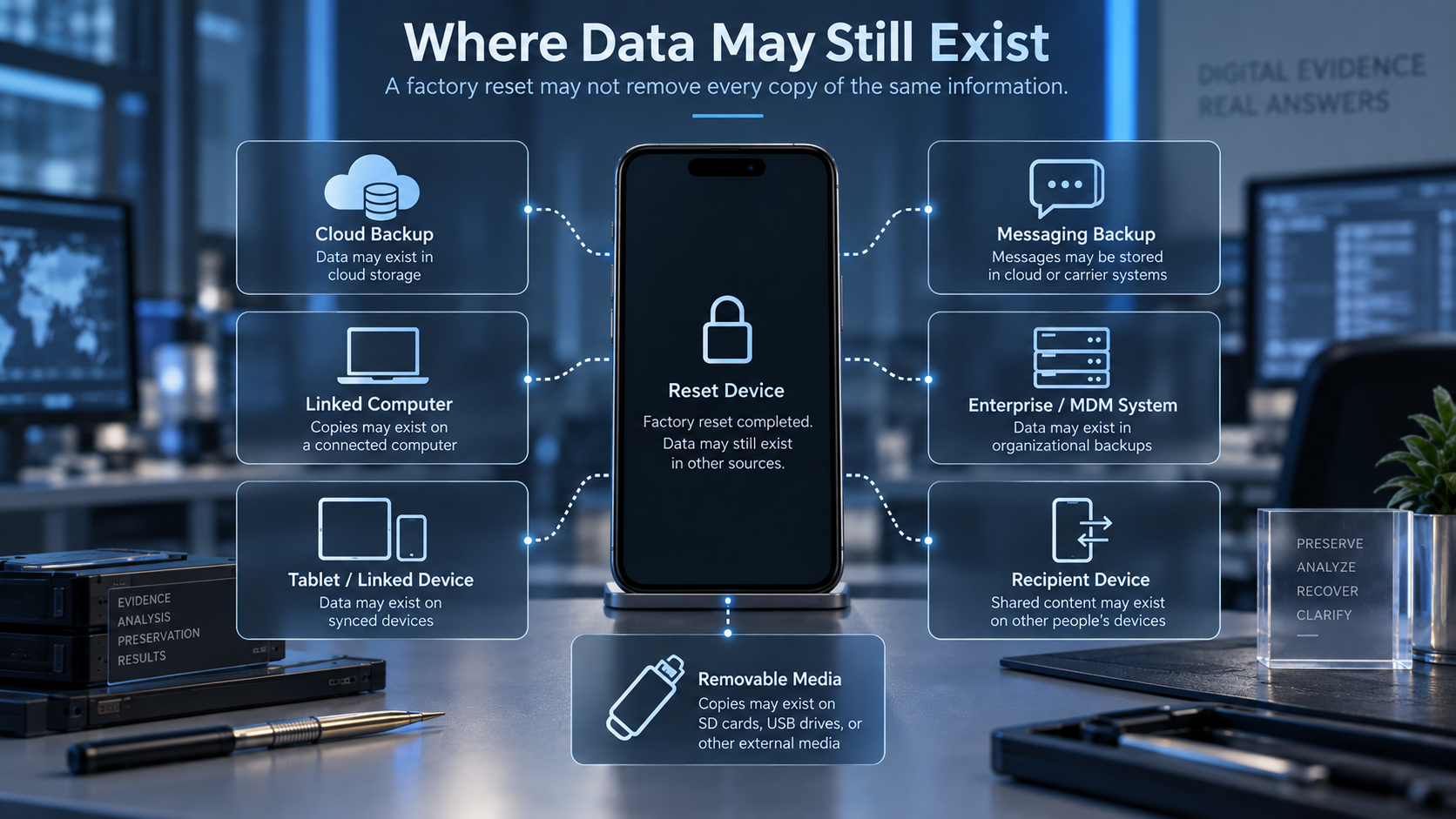
Where Data May Still Exist After a Factory Reset
A post-reset investigation should not stop at the handset. The information ecosystem surrounding a phone can be more important than the device itself.
| Potential Source | What May Still Be Available | Important Limitation |
| iCloud / Apple services | Device backups, photos, files, contacts, notes, synchronised data or other retained account information. | Availability depends on service configuration, backup timing and deletion/synchronisation behaviour. |
| Google backup / Google services | Supported Android backup data, photos, contacts, app data or account information. | Not every app or data category is included, and retention varies. |
| Local computer backup | Earlier iPhone or Android backup data stored on a Mac or PC. | The backup may pre-date or post-date the relevant event and may itself be encrypted. |
| Linked or secondary device | Messages, files, photos, app content or account artefacts retained on a tablet, computer, smartwatch or other phone. | Deletion or synchronisation may have propagated to that device. |
| Messaging-app backup / secure storage | Conversation history or account data retained through an app-specific mechanism. | End-to-end encryption and app-specific deletion rules can restrict availability. |
| Cloud storage / email / SaaS | Files, attachments, messages, logs, version history or account activity. | Lawful authority and account access are required. |
| Enterprise MDM / corporate systems | Device-management records, wipe commands, enrolment events, application logs, cloud records and business data. | Often preserves event evidence rather than the complete contents of the old handset. |
| Recipient / counterparty device | Messages, attachments or communications retained by another authorised endpoint. | Content may differ from the reset user’s original state and must be interpreted in context. |
| Removable microSD | Files stored outside internal encrypted storage. | The card may have been erased, adopted as encrypted storage or physically damaged. |
Can Photos Be Recovered After a Factory Reset?
Photos are often recoverable only because another copy exists, not because the reset phone’s internal flash can be carved successfully. Check iCloud Photos, Google Photos, OneDrive, Dropbox, local computer imports, shared albums, messaging attachments, removable storage and other devices before assuming the handset is the only source.
If the images existed solely on modern encrypted internal storage and the device completed a cryptographic reset, direct recovery from that prior storage state may not be possible.
Can Text Messages Be Recovered After a Factory Reset?
The same principle applies to SMS, iMessage, RCS and application messages. The reset handset may no longer hold recoverable plaintext content, but relevant communications may still exist in cloud or app backups, synchronised accounts, linked devices, notification artefacts, recipient devices or other authorised data sources.
For the broader message-recovery question, see Can Deleted Text Messages Be Recovered? iPhone and Android Forensic Recovery.
What If the Factory Reset Was Accidental, Remote or Deliberate?
A reset can itself become an evidential event. The technical question may not be limited to recovering personal files; an organisation or legal team may need to establish when the wipe occurred, how it was initiated, what systems recorded it and whether related data existed elsewhere.
Examples include:
- An employee resetting a corporate handset before returning it;
- A remote wipe issued through mobile-device management;
- A lost or stolen phone erased remotely;
- A repairer or service centre resetting a device during repair;
- A failed operating-system repair or restore process;
- A phone reset during a cyber, spyware or account-compromise incident; and
- An intentional wipe relevant to litigation, misconduct, fraud or intellectual-property theft.
Even where the original internal data is no longer recoverable, MDM logs, Apple or Google account activity, enterprise records, cloud backups, application logs, linked devices and other systems may help reconstruct the event and establish what information existed before it.
Do Not Assume a Failed Handset Recovery Means the Evidence Is Gone
A forensic examination can conclude that prior internal data is not recoverable from the reset handset while still identifying useful evidence elsewhere. This distinction matters in litigation and investigations because the evidential objective may be to prove a communication, document, location, deletion event or sequence of actions – not necessarily to recover a complete pre-reset copy of the phone.
A defensible report should therefore state what was examined, what could and could not be recovered, which alternative sources were considered, the limitations of the available data and what further preservation or acquisition work is justified.
What Should You Do Immediately After an Accidental Factory Reset?
The correct first step depends on whether the matter is ordinary personal recovery or potentially evidential.
| Situation | Recommended First Action | Why |
| Personal phone; data is not evidence | Check authorised cloud, local and app backups before installing recovery utilities or reconfiguring the phone extensively. | The fastest recovery path is often an existing copy rather than the reset internal storage. |
| Phone may contain legal or investigative evidence | Stop unnecessary interaction and seek forensic advice before further setup, restores, updates or account changes. | Additional actions can change timestamps, cloud state and the evidentiary record. |
| Corporate or managed handset | Contact the organisation’s legal/security/IT response path and preserve MDM and cloud logs. | The wipe command and associated records may be as important as the handset. |
| Phone was already off when recovered | Leave it off pending device-specific forensic advice. | Current forensic guidance warns that unnecessary power cycles can affect data availability. |
| Phone is still on or unlocked | Do not apply a universal power-off rule; preserve its state and obtain immediate forensic guidance. | A reboot can reduce available access on some modern devices, while continued network exposure can also alter data. |
| Physically damaged / liquid damaged | Do not repeatedly power or charge the device; escalate to trained mobile-forensic personnel. | Improper power-up can worsen damage and reduce recovery prospects. |
Why Power State Matters in Mobile Forensics
Older consumer advice often said to switch every phone off immediately. Current forensic guidance is more nuanced. SWGDE states that an unlocked device may need power maintained because rebooting can reduce data availability, while a device received already powered off should generally be left off. Network isolation and rapid movement to acquisition can also be important.
For that reason, the safest public instruction for a potentially evidential phone is not to experiment with power, resets, updates, restores or network settings. Document the device state, minimise unnecessary interaction and obtain device-specific forensic advice.
How NSI Global Approaches a Post-Reset Investigation
NSI Global treats a factory-reset matter as an evidence-location and recovery problem rather than making a blanket promise that deleted internal storage can always be reconstructed. The scope can include the handset, backups, cloud accounts, messaging platforms, linked devices and enterprise systems where lawful authority exists.
Where the matter is evidential, NSI Global applies its Nine-Stage DFIR-EDM methodology:
- Legal Notices and Authority – Confirm lawful instruction, consent, preservation requirements and any privilege or procedural constraints.
- Chain of Custody – Identify, document and control each device, account and evidence source.
- Preservation – Reduce avoidable change and preserve relevant device, cloud, backup and provider-side evidence.
- Collection – Acquire available data using methods appropriate to the device, account and purpose.
- Processing – Prepare and index acquired evidence while maintaining provenance and integrity.
- Analysis – Examine reset indicators, backups, cloud artefacts, communications, application data, logs and timelines.
- Review – Test findings against scope, context, legal instructions and alternative explanations.
- Production – Produce relevant evidence in an agreed form for counsel, investigators, regulators or other authorised stakeholders.
- Reporting – Document methodology, findings, limitations, hash values where applicable, and expert conclusions.
NSI Global’s broader digital forensic capability is described at Digital Forensics and Digital Forensic Incident Response.
When Forensic Data Recovery Is Still Appropriate
Factory reset does not eliminate the need for forensic work; it changes the target of that work. Depending on the device and circumstances, NSI Global may assess whether the reset actually completed, examine removable storage, identify residual system or reset artefacts, acquire authorised backups and accounts, correlate linked devices, preserve cloud evidence and reconstruct the relevant timeline.
NSI Global supports forensic recovery and examination across more than 40,000 mobile device types, but device compatibility does not mean every pre-reset data set is technically recoverable. Encryption, key state, reset behaviour and available evidence sources still govern the result.
For general deleted-data recovery capability, see Digital Forensic Data Recovery.
Should You Use Consumer Data-Recovery Software After a Factory Reset?
Consumer software should not be treated as a method for bypassing modern cryptographic erase. In many cases it will simply enumerate data that has been restored or resynchronised after the reset, or search accessible storage for categories it can read. Marketing claims that a utility can recover any factory-reset iPhone or modern encrypted Android device should be treated cautiously.
Where data is important or evidential, installing utilities, rooting or jailbreaking the handset, restoring from multiple backups or repeatedly reconfiguring the phone can also complicate later interpretation.
For the broader risk of DIY recovery attempts, see DIY Data Recovery Software: When It Can Destroy Evidence and What to Do Instead.
Factory Reset Recovery for Legal, Corporate and Investigative Matters
In an evidential matter, the objective is not simply to restore personal files. The investigation may need to establish what data existed, whether a reset or remote wipe occurred, when it occurred, which account or management system initiated it, what evidence survived elsewhere and how the resulting evidence was preserved.
This is particularly relevant in employee misconduct, insider threat, fraud, intellectual-property theft, cyber incidents, litigation, insurance matters and other authorised investigations. Chain of custody, forensic acquisition, cryptographic hashing where appropriate, documented methodology and clear reporting can become as important as the volume of data recovered.
NSI Global requires lawful authority, owner or organisational consent, legal instruction, court order, regulatory authority or another appropriate basis before accessing devices, accounts, cloud data, communications or other digital evidence.
Frequently Asked Questions
Can iPhone data be recovered after a factory reset?
Sometimes information can be recovered from backups, iCloud services, linked devices or other sources. However, after a completed Erase All Content and Settings operation on a modern iPhone, Apple states that the keys protecting the prior user data are destroyed and the old internal data is rendered cryptographically inaccessible.
Can Android data be recovered after a factory reset?
It depends on the device generation, Android version, manufacturer, encryption architecture, reset mechanism, external storage and available backups. Modern Android devices launched with Android 10 or later use file-based encryption, so direct recovery of previous internal user data after a completed reset may be very limited or impossible.
Does a factory reset permanently delete everything?
It can make the data on the handset inaccessible, but it does not automatically delete copies that exist in cloud services, backups, linked devices, email, messaging platforms, removable media or other systems.
Does a factory reset overwrite the phone with zeros?
That is not a reliable description of modern smartphones. Current devices rely heavily on encryption and key management; on Apple devices, erasing the relevant keys renders prior files cryptographically inaccessible.
Can photos be recovered after a factory reset?
Often the best recovery route is an existing copy in iCloud Photos, Google Photos, a computer backup, cloud storage, removable media, shared albums or another device. Direct recovery from reset encrypted internal storage may not be possible.
Can text messages be recovered after a factory reset?
Possibly from backups, synchronised services, linked devices, application storage or another participant’s authorised device. Recovery from the reset phone’s former internal state depends on the device and encryption.
Can data be recovered after a factory reset without a backup?
Sometimes another copy exists even when the user did not intentionally create a traditional backup – for example in synchronised cloud services, app-specific storage, email, enterprise systems or another linked device. If the information existed only on cryptographically erased internal storage, it may not be recoverable.
Can forensic software recover everything from a factory-reset phone?
No. Forensic tools cannot override every consequence of modern encryption or recreate destroyed keys. Tool capability matters, but so do device architecture, encryption, key state and the existence of alternate evidence sources.
Can data be recovered after a remote wipe?
The phone itself may be cryptographically erased or reset, but the remote-wipe event and copies of the data may survive in MDM records, cloud services, account logs, backups, linked devices or enterprise systems.
Should I keep using a phone after an accidental factory reset?
Avoid unnecessary use if the information is important or may become evidence. Do not apply a universal power-off rule; preserve the current state and obtain device-specific advice before updates, restores, resets or other changes.
How NSI Global Can Assist
NSI Global can assess factory-reset and remote-wipe matters for corporate organisations, government agencies, law firms, insurers, regulators, law enforcement bodies and appropriately authorised case-managed instructions. Depending on the matter, the examination may include mobile-device assessment, forensic acquisition, cloud and backup preservation, linked-device analysis, application and communications evidence, timeline reconstruction and expert reporting.
A responsible post-reset examination begins with the possibility that the phone itself may no longer contain recoverable pre-reset plaintext. The task is to determine what can actually be established from the handset and the wider evidence environment, and to state the limitations clearly.
Sources and Further Reading
- Apple Platform Deployment – Erase Apple devices – Apple states that erasing obliterates keys in effaceable storage and renders user data cryptographically inaccessible.
- Apple Platform Security – Data Protection in Apple devices – Explains Apple file-key hierarchy and why erasing the relevant key renders files cryptographically inaccessible.
- Android Open Source Project – File-based encryption – Explains Android file-based encryption and the protection of credential-encrypted keys.
- Android 10 Compatibility Definition – Data Storage Encryption – Documents the requirement for devices launching with Android 10 to use file-based encryption.
- SWGDE – Best Practices for Mobile Device Evidence Collection, Preservation, Handling and Acquisition – Current guidance on device state, power, preservation, network isolation and acquisition.
- NSI Global – Digital Forensics – NSI Global digital forensic capability and lawful-authority framework.
- NSI Global – Digital Forensic Data Recovery – NSI Global mobile deleted-data recovery capability.
- NSI Global – Social Media and Cloud Forensics – Cloud, social-media and messaging-platform evidence capability.