
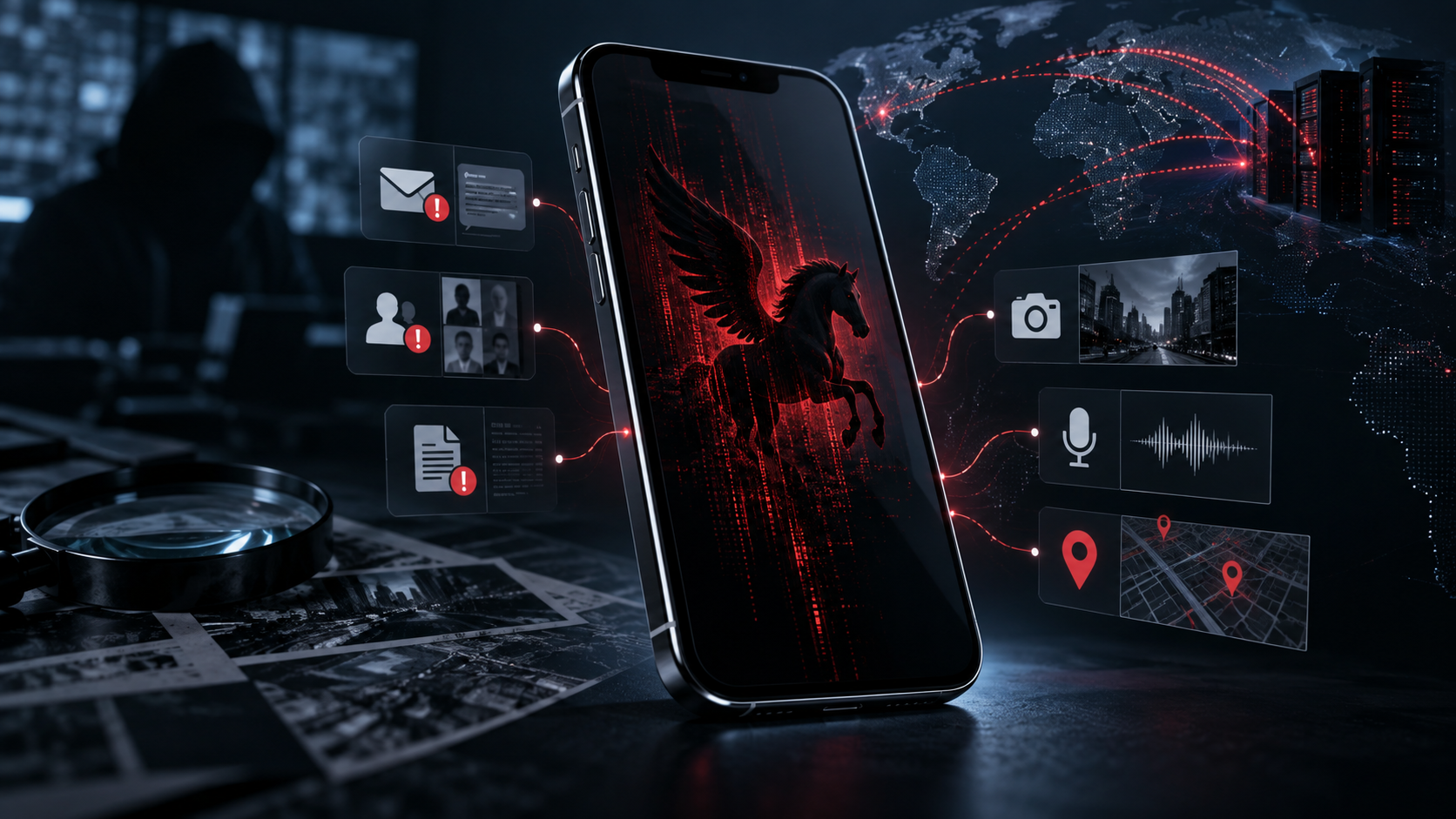
A forensic guide to Pegasus, zero-click iPhone attacks, Apple threat notifications, evidence preservation and specialist spyware investigation.
ORIGINAL PUBLICATION: 22 June 2018 REVISION COMPLETED: 17 September 2026 AEST
By: Claude Khoury, Chief Operating Officer, NSI Global
Pegasus is sophisticated mercenary spyware capable of compromising both iPhone and Android devices, including through zero-click attacks that may require no action from the user. A successful infection can give an operator extensive access to information and functions on the device, including private messages, photos, location data and, in documented cases, the microphone and camera. For people who may have been individually targeted, the priority is not guessing from battery drain or unusual behaviour. It is preserving potential evidence, understanding the threat pathway and obtaining a properly scoped forensic examination.
This article was first published in 2018, when Pegasus was widely discussed as spyware delivered through a malicious link. That description is now incomplete. Current evidence shows that Pegasus has evolved through multiple infection methods, including zero-click exploitation that can occur without the target opening a message or tapping a link.
What Is Pegasus Spyware?
Pegasus is a commercial surveillance platform developed by NSO Group. It is generally discussed within the broader category of mercenary spyware: highly resourced, targeted surveillance software developed by private companies and supplied to government customers. Apple uses the term mercenary spyware for attacks that are substantially more sophisticated and expensive than ordinary cybercrime and are aimed at a very small number of specific people because of who they are or what they do.
Pegasus is not ordinary consumer malware distributed indiscriminately to millions of phones. Public research has repeatedly associated it with highly targeted operations involving journalists, activists, politicians, diplomats, lawyers and other people whose communications or activities may be of intelligence value. Apple says the vast majority of users will never be targeted by attacks of this nature.
Is Pegasus Still a Threat to iPhone and Android Devices in 2026?
Yes. Pegasus is not merely a historical iPhone security story. On 2 September 2026, the Citizen Lab at the University of Toronto reported a forensically confirmed Pegasus infection of the iPhone of a Serbian pro-democracy student activist. The investigators found high-confidence indicators of infection across December 2025 and January 2026 and concluded that an iMessage zero-click exploit had been used. The exploit involved in that case was subsequently patched by Apple as of iOS 18.4.1.
Android is also a confirmed Pegasus target platform. Amnesty International Security Lab’s July 2026 analysis of internal NSO Group material describes the Pegasus system selecting high-level approaches labelled ‘Android Covert’ as well as iOS methods. The same analysis states that forensic investigations indicate NSO Group had remote zero-click capabilities against most Android devices from early 2018. During the 2018-2020 period, documented Android covert vectors were delivered through WhatsApp, with some exploit chains broadly applicable and others limited to particular manufacturers or device families.
The significance is broader than one case. Spyware operators and platform vendors are in a continual cycle: new attack chains are developed, forensic traces are identified, vulnerabilities are patched, and different attack vectors emerge. A phone being fully updated is therefore an essential protective measure, but it should not be interpreted as proof that the device was never targeted or compromised in the past.
Apple states that mercenary-spyware attacks are ongoing and global. Since 2021, Apple has issued threat notifications multiple times each year and has notified users in more than 150 countries.
How Pegasus Can Infect iPhone and Android Devices
The original 2018 version of this article focused on a malicious SMS link. One-click attacks remain part of the history of Pegasus, but current technical research shows a much wider infection model across both iOS and Android. Amnesty International Security Lab’s July 2026 analysis of internal NSO Group material describes platform-specific approaches including ‘iOS Covert’, ‘Android Covert’ and triggered infection methods, alongside network-injection and physical-access techniques.
| Infection Pathway | What It Means | User Interaction |
| Zero-click / covert | An exploit is delivered through a service or attack surface without requiring the target to tap a malicious link. Documented Pegasus chains have targeted iMessage on iOS, while Amnesty International’s 2026 analysis describes Android zero-click vectors delivered through WhatsApp. | None may be required. |
| One-click / triggered | The target is induced to open a malicious link or content that begins the exploit chain. | Usually requires a click or other action. |
| Network injection | Traffic or network position is abused to redirect or inject an exploit into the target’s communications. | May require little or no meaningful interaction. |
| Physical-access techniques | An attacker with access to the device may attempt compromise using a local or physical pathway. | Physical access by the attacker is required. |
These pathways are one reason that advice limited to ‘do not click suspicious links’ is no longer sufficient for people at elevated risk. Link hygiene is still valuable against many attacks, but zero-click spyware is specifically designed to remove that dependency on user error.
The infection route is platform- and device-specific. On iPhone, public forensic research has documented multiple iMessage and other iOS exploit chains. On Android, the attack surface can differ by Android version, handset manufacturer, messaging application and security patch level. The term Pegasus therefore describes the surveillance platform, not one universal exploit that behaves identically on every phone.
What Can Pegasus Access After a Successful Infection?
A successful Pegasus infection is an endpoint compromise. That distinction matters because the attacker is no longer merely trying to intercept data while it travels across a network; the attacker may be operating inside the device where information is displayed, decrypted and used.
Depending on the exploit, spyware version, device state and operator objectives, documented Pegasus capability has included access to:
- Private messages and other application content available on the compromised device
- Photos, notes, contacts and stored files
- Location and movement information
- Call-related and communications data
- Information available to applications and accounts on the device
- The microphone and camera for covert collection in documented infections
The exact data available in a particular case cannot be inferred simply from the word Pegasus. A forensic investigation should distinguish what the spyware family is capable of from what can actually be established about the specific device, time period and evidence available.
Does End-to-End Encryption Stop Pegasus?
End-to-end encryption remains important because it protects message content against many forms of interception while data is travelling between endpoints. It does not, however, make a compromised endpoint trustworthy. If spyware has obtained sufficient access to the phone, it may be able to capture information after it has been decrypted for the legitimate user or before it is encrypted for transmission.
This is why the use of Signal, WhatsApp, iMessage or another encrypted platform does not by itself rule out exposure where the phone itself has been compromised. Network security and endpoint security solve different problems.
Related NSI Global analysis: Can a Mobile Phone Be Bugged Without Spyware? SS7 and Network-Based Surveillance
Can You Tell If Pegasus Is on an iPhone or Android Device?
Usually not from ordinary phone behaviour alone. Sophisticated mercenary spyware is designed to remain covert. Common consumer warning signs such as battery drain, warmth, reduced performance or unusual data consumption are non-specific: they can result from normal applications, software updates, battery condition, poor coverage and many other causes.
The absence of symptoms is equally uninformative. A person can be targeted or infected without seeing a suspicious pop-up, malicious app icon or obvious change in device behaviour. That is why advanced spyware concerns should be evaluated through threat context, platform-specific threat intelligence where available, Apple threat notifications for iPhone users, and forensic artefacts rather than a checklist of consumer symptoms.
What Does an Apple Threat Notification Mean?
Apple threat notifications are designed to alert users who may have been individually targeted by mercenary spyware. Apple describes them as high-confidence alerts that should be taken very seriously, while also noting that no detection process can achieve absolute certainty.
If Apple detects activity consistent with a mercenary-spyware attack, a notification may appear on the iPhone, be sent to email addresses associated with the Apple Account and appear as a banner after the user signs in to the Apple Account website. Apple states that a genuine threat notification will not ask the user to click a link, install an application or profile, or disclose an Apple Account password or verification code.
A recipient should verify the alert by signing in directly to account.apple.com rather than following an unsolicited link. In September 2026, Citizen Lab described an Apple threat notification as a high-confidence indicator of targeting and recommended that recipients seek expert assistance promptly.
What About Pegasus on Android?
Pegasus on Android is not a theoretical extension of an iPhone-only product. Amnesty International’s 2026 technical analysis confirms Android-specific covert infection capability and reports remote zero-click targeting of most Android devices from early 2018. The precise exploit chain changes over time as vulnerabilities are patched and new techniques are developed.
Forensic investigation on Android can be more variable than on iOS because the ecosystem spans many manufacturers, chipsets, Android versions and logging implementations. Mobile Verification Toolkit documentation notes that Android devices can provide fewer complete forensic data sources and that diagnostic logs differ across vendors and versions. The Apple threat-notification workflow described above is Apple-specific, so an Android investigation cannot rely on that signal; it must instead assess the device, available logs and artefacts, known indicators, account activity and the wider threat context.
How Pegasus Is Detected Forensically
There is no single universal ‘Pegasus scan’ that can guarantee a historical device has always been clean. Forensic detection is an evidence problem: investigators look for artefacts that are consistent with known attack infrastructure, exploit activity, suspicious processes, communications events, system records and other indicators associated with a compromise.
Depending on the device, operating-system version, available access and agreed scope, a specialist examination may include:
- Forensic preservation and acquisition of available device data before unnecessary changes are made
- Examination of system and application artefacts, databases, logs, analytics and crash records where available
- Comparison against current and historical indicators of compromise and known spyware infrastructure
- Correlation of suspicious events with messages, calls, account activity, travel, threat notifications and other timeline evidence
- Assessment for other spyware, malware, remote-access mechanisms or account compromise that may explain the same concern
- Documentation of findings, limitations and evidence handling where legal or investigative use is contemplated
Amnesty International’s Mobile Verification Toolkit (MVT) is an important open-source research tool used in consensual mobile forensics. Amnesty expressly describes MVT as a tool for technologists and investigators rather than an end-user self-assessment product. It is useful within an expert workflow, but a negative match against known indicators is not the same thing as proving that no sophisticated compromise has ever occurred.
A Negative Result Must Be Interpreted Carefully
Advanced spyware evolves rapidly. Attack infrastructure changes, exploits are replaced, device logs rotate, artefacts may be transient, and the available acquisition method may not expose every part of the operating system. For those reasons, a professional conclusion should state what was examined, which data sources were available, which indicators and methods were used, what was found and what could not be determined.
The defensible conclusion is often not ‘this phone has never been infected’. It may instead be that the examination identified no reportable evidence of the suspected spyware within the available data and scope, or that specific artefacts support a finding of targeting or compromise.
What to Do If You Receive a Spyware Warning or Suspect Pegasus
The right first action depends on whether the immediate priority is personal safety, stopping ongoing collection, or preserving evidence for a legal, employment, regulatory or investigative matter. Those objectives can sometimes conflict.
1. Verify the Notification
Sign in directly to your Apple Account rather than using a link in an email or message. If Apple issued a threat notification, it should be visible after sign-in.
2. Use a Separate Trusted Device to Seek Help
If the suspected phone may be monitored, use another trusted device and communications channel when contacting a forensic specialist, lawyer, employer, security team or other appropriate adviser.
3. Preserve Evidence Before Erasing or Experimenting
If evidentiary use is possible, avoid factory-resetting the phone, installing consumer cleaning tools, deleting messages or attempting to remove suspected spyware before obtaining forensic advice. These actions can alter or destroy artefacts.
4. Decide Whether Immediate Containment Takes Priority
Where there is an active safety or intelligence risk, containment and protection may take precedence over perfect evidence preservation. A specialist can help balance those priorities.
5. Update and Harden the Environment
For Apple users at elevated risk, Apple recommends current software and Lockdown Mode. For Android users, current security updates, Google Play system updates and stronger device protections such as Android Advanced Protection on supported Android 16+ devices can reduce attack surface. The timing of major changes should still be considered alongside evidence-preservation requirements where a forensic examination is planned.
6. Review the Wider Exposure
A targeted person should consider whether related phones, tablets, accounts, close contacts, work systems or collaborators may also require assessment. Citizen Lab has specifically advised recipients of threat notifications to consider screening close contacts in relevant cases.
Does Apple Lockdown Mode Stop Pegasus?
Lockdown Mode is one of the strongest defensive controls available to high-risk Apple users, but it should be described as attack-surface reduction rather than an absolute guarantee. Apple calls it an optional, extreme protection for the small number of people who may be personally targeted by highly sophisticated attacks such as mercenary spyware.
When enabled, Lockdown Mode restricts or changes a range of functions involving Messages, web technologies, Apple services, wired connections, device management and other attack surfaces. Those restrictions are intentionally inconvenient because they reduce opportunities available to sophisticated exploit chains.
Apple recommends keeping supported devices updated to the latest software and enabling Lockdown Mode across the relevant Apple devices for the complete set of protections. A high-risk user should also review account security, strong authentication, linked devices and operational practices rather than relying on a single setting.
Related NSI Global guide: How to Protect an iPhone From Spyware: Lockdown Mode Guide
How Can High-Risk Android Users Reduce Pegasus Exposure?
Android users should keep the operating system, Google Play system components and installed applications fully updated because exploit chains depend on vulnerabilities that vendors may later patch. On supported Android 16+ devices, Google’s Advanced Protection adds a device-level high-security mode intended for users exposed to sophisticated targeted attacks, combining stronger protections across the operating system and participating Google applications.
Advanced Protection is a risk-reduction measure, not a guarantee against Pegasus or other mercenary spyware. High-risk users should also use strong account authentication, minimise unnecessary application exposure, avoid rooted or modified operating systems, review linked devices and sessions, and obtain specialist advice where there is credible evidence of targeting. As with iPhone, containment steps should be balanced against the need to preserve forensic evidence.
How NSI Global Investigates Suspected Pegasus and Advanced Spyware
NSI Global provides forensic spyware and malware detection for authorised corporate, government, legal and case-managed matters. The objective is not to sell a generic ‘phone clean’ result. It is to preserve available evidence, determine which compromise hypotheses are technically plausible, identify reportable artefacts and document the limits of the examination.
Depending on the circumstances, an engagement may include:
- Forensic preservation and imaging or acquisition using professional-grade mobile forensic tools
- Analysis for spyware, malware, remote-access tools, suspicious applications and indicators of compromise
- Timeline reconstruction across device, account and communications evidence
- Correlation with platform threat notifications where available, suspicious messages, account events or other intelligence supplied by the client
- Cryptographic hashing, chain-of-custody documentation and forensic reporting where evidentiary use is required
- Coordination with solicitors, barristers, investigators, security teams, insurers or authorised representatives
- Recommendations for containment, account security, communications hardening and further investigative work
Learn more: Forensic Spyware & Malware Detection | Digital Forensics | Digital Forensic Incident Response
Hardened Communications for Elevated-Risk Clients
Where an investigation identifies an elevated ongoing communications risk, remediation may require more than returning to normal use of a consumer handset. NSI Global can advise on secure communications and, for appropriately vetted corporate or government clientele, provide hardened encrypted communications devices and related COMSEC solutions.
These controls should be selected against the actual threat model. No communications product should be represented as universally immune to compromise, and secure messaging alone cannot compensate for a compromised endpoint. The objective is a layered architecture appropriate to the client’s operational and security requirements.
Learn more: NSI Global Communications Security (COMSEC) | Corporate COMSEC Products
Who Is Most Likely to Be Targeted by Mercenary Spyware?
Most people will never be targeted by Pegasus. The relevant risk is concentrated among people whose devices may provide unusually valuable intelligence. Publicly documented targets have included journalists, activists, political figures, diplomats and other high-profile individuals. In a corporate context, elevated risk can also arise where executives, legal teams or decision-makers hold sensitive information involving major transactions, disputes, intellectual property, national-security work or other high-value matters.
Risk should be assessed from the person’s role, information access, adversaries, travel and exposure rather than from status alone. A sophisticated spyware investigation should start with that threat context because it helps determine which technical hypotheses and data sources deserve priority.
Frequently Asked Questions
Can Pegasus Infect iPhone and Android Devices Without Clicking a Link?
Yes. Documented Pegasus campaigns have used zero-click exploits that require no meaningful interaction from the target. Citizen Lab’s September 2026 investigation confirmed an iMessage zero-click infection of an iPhone. Amnesty International’s July 2026 analysis also states that NSO Group had remote zero-click capability against most Android devices from early 2018, including Android zero-click vectors delivered through WhatsApp during the 2018-2020 period.
Can Pegasus Be Detected on Android?
Sometimes, but Android forensic visibility varies considerably by device, manufacturer, Android version and the data that can be acquired. Investigators may examine system and application artefacts, diagnostic logs, account activity and known indicators of compromise. A negative result should not be treated as proof that an Android device has never been targeted or compromised.
Can Pegasus Read WhatsApp, Signal or iMessage?
A successful endpoint compromise may expose content that is available in decrypted form on the device. End-to-end encryption protects data in transit but cannot make a compromised endpoint trustworthy.
Can Pegasus Turn On a Phone Camera or Microphone?
Documented Pegasus capability includes covert microphone and camera access after successful compromise. That is an endpoint capability and should not be confused with network-only interception.
Can Antivirus Detect Pegasus?
Consumer antivirus is not a reliable way to rule out sophisticated mercenary spyware. Specialist forensic analysis uses a broader set of device artefacts, current indicators and contextual evidence.
Does a Factory Reset Remove Pegasus?
A reset may remove some active software, but it can also destroy evidence needed to establish what happened. If forensic or legal findings are important, obtain advice before erasing the device. Ongoing protection and personal safety may require a different priority.
How Do I Know if an Apple Threat Notification Is Genuine?
Do not rely on a link in an email or message. Sign in directly to account.apple.com. Apple states that a genuine threat notification will be visible at the top of the account page and will not ask for your password, verification code, app installation or profile installation.
Does Lockdown Mode Prevent Pegasus?
Lockdown Mode materially reduces the attack surface available to highly sophisticated spyware, but it should not be treated as an absolute guarantee. Keep devices updated and use a layered security approach.
Can NSI Global Examine iPhone or Android Devices for Pegasus or Other Spyware?
NSI Global provides forensic spyware and malware detection for authorised matters and can examine mobile devices for indicators of advanced compromise. Findings are expressed within the limits of the available evidence, tools and agreed scope.
Contact NSI Global From a Trusted Device
If you have received an Apple threat notification or have a credible concern that an iPhone, Android device, computer or account may have been targeted with advanced spyware, avoid experimenting with the suspected device where evidence may matter. Contact NSI Global from a separate trusted device or secure environment so the appropriate preservation and investigation strategy can be considered before evidence is altered.
NSI Global requires lawful authority, owner or organisational consent, legal instruction or another appropriate basis before accessing devices, accounts or digital evidence. NSI Global will not accept an instruction from an individual or entity that is the subject of a law-enforcement investigation.
Sources and Further Reading
- Apple Support – About Apple threat notifications and protecting against mercenary spyware (updated 13 August 2026)
- Apple Support – About Lockdown Mode
- Citizen Lab – Pegasus Spyware Infection of Serbian Pro-Democracy Student Activist (2 September 2026)
- Amnesty International Security Lab – Inside Pegasus: The evolution of the world’s most notorious spyware system (16 July 2026)
- Amnesty International Security Lab – Get Help / Mobile Verification Toolkit guidance
- Mobile Verification Toolkit – Android Forensic Methodology – guidance on Android evidence sources, acquisition variability and limitations
- Google Security Blog – Advanced Protection: Google’s Strongest Security for Mobile Devices (Android 16+)
- NSI Global – Forensic Spyware & Malware Detection
- NSI Global – Digital Forensics
- NSI Global – Communications Security (COMSEC)